To link your Etsy shop to Pinterest, switch to a free Pinterest business account, claim your Etsy shop under Claimed accounts, and then pin your listings and the blog posts that show them in use. Linking is the easy part. What gets sales is pinning every product often, with keywords, before the season starts.
This post contains affiliate links. If you buy through them I may earn a small commission at no extra cost to you. As an Amazon Associate I earn from qualifying purchases. Some photos are AI generated to show the idea.
- Use a Pinterest business account and claim your Etsy shop.
- Pin mockups and lifestyle photos, not just the first listing photo.
- Link to a blog post that shows the product in use when you can.
- Pin seasonal products 6 to 8 weeks early.
- Use keywords people search on Pinterest, which are often different from Etsy tags.
How to link your Etsy shop to Pinterest
- Open Pinterest and switch to a free business account in Settings.
- Go to Settings, then Claimed accounts, and choose Etsy.
- Log in to Etsy and approve the connection.
- Wait a day or two. Your shop’s products start showing with your name on them.
- Turn on Rich Pins by claiming your website too, if you have one.
Menus move around now and then, so if a step looks different, search Pinterest’s help center for “claim Etsy”.
What I pin for my Etsy shop
My shop, Shinku Studio, sells printable classroom kits for teachers. Here is what works for it.
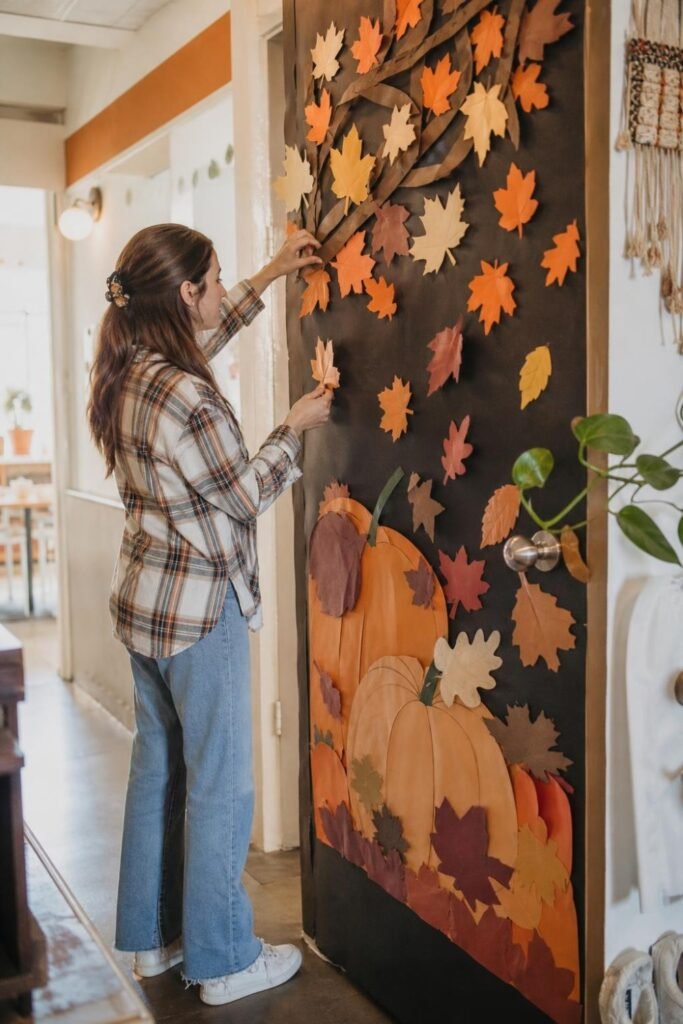
- Blog post first: most of my product pins link to a post that shows the kit on a real classroom door, with the product further down.
- Mockups that look real: a door, a bulletin board or a craft on a table, not just a flat PDF page.
- Every product, every week: each listing gets a fresh pin, but no link more than once a week.
- Seasonal timing: Christmas kits are pinned from October, Valentine’s from early January.

Pinterest keywords are not Etsy tags
People on Pinterest search for ideas, like “christmas door decorations for classroom”. On Etsy they search for products, like “christmas door kit printable”. Use the Pinterest version in your pin title and description, and keep the Etsy version for your listing tags.
| Where | Example search | Use it in |
|---|---|---|
| classroom door ideas for winter | Pin title, description, board names | |
| Etsy | winter door decor printable kit | Listing title and tags |

Pin types that sell products
- Lifestyle mockups: the product in use.
- Close-up details: the cut pieces, the colors, the print quality.
- Before and after: a plain door, then the decorated door.
- Short video pins: a quick pull-back from a close-up to the whole display.
- List pins: “10 winter door ideas” that link to a post with your kit in it.

Mistakes I made
- Pinning only the first listing photo, which looks like an ad.
- Starting seasonal pins too late, when the searches had already peaked.
- Forgetting to update old pins when a product changed.
Thinking about which products to make? See digital products to sell and Cricut ideas to sell.

Questions people ask
How do I link my Etsy shop to Pinterest?
Switch to a Pinterest business account, then go to Settings, Claimed accounts, and connect Etsy.
Does Pinterest help Etsy sales?
Yes, especially for seasonal and giftable products. Pins keep sending shoppers for months, which Etsy ads do not.
Should my pins link to Etsy or my blog?
Both work. Linking to a blog post that shows the product in use usually converts better, and you earn from ads on the way.
How often should I pin my Etsy products?
Pin each product about once a week with a new image, and more often in the weeks before its season.
Back to the full guide: how to make money on Pinterest.